Scales in your key
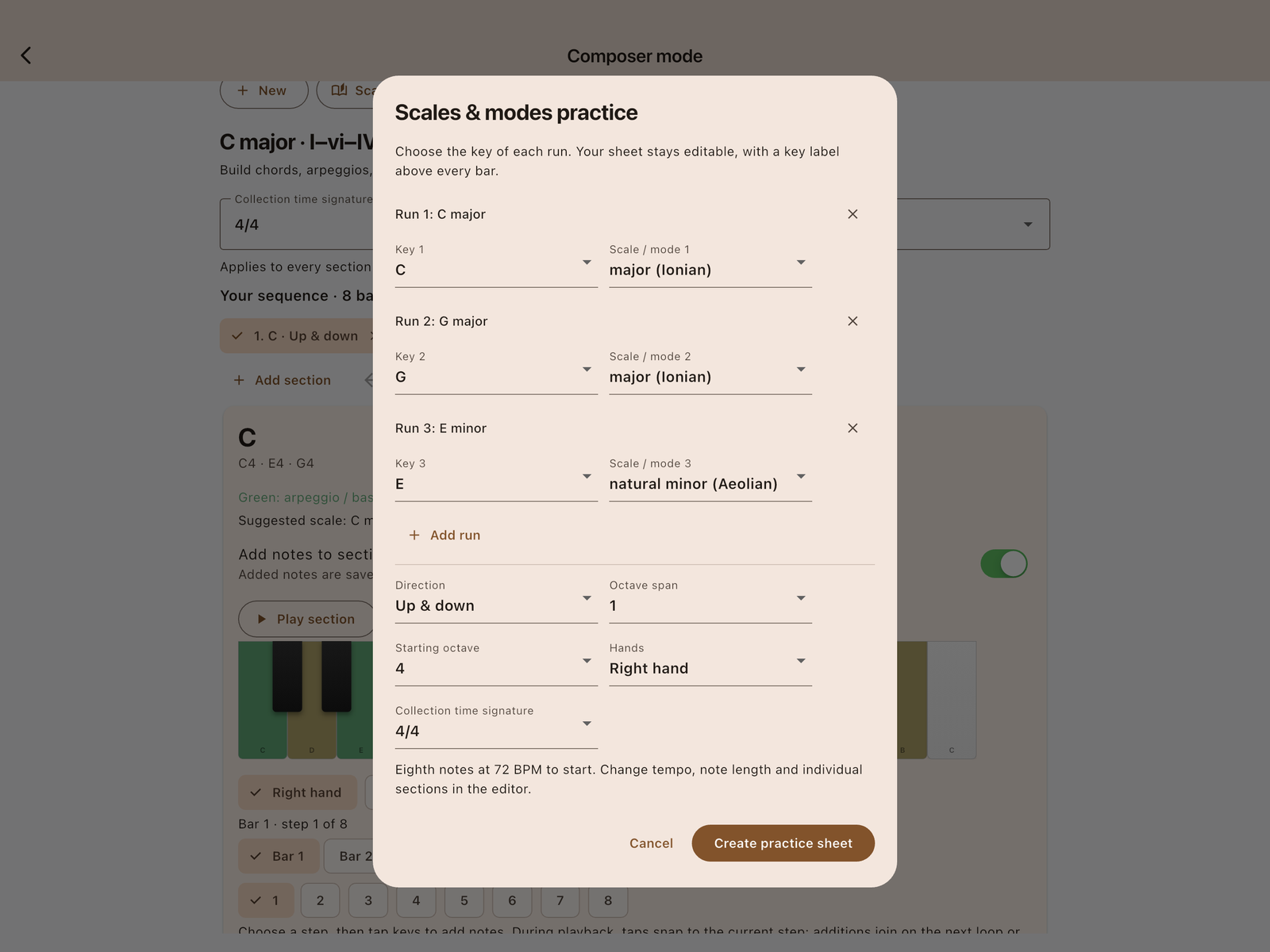
Start with C major, G major and E minor, then choose your own keys. Explore major, natural or harmonic minor, and all seven diatonic modes. Every run keeps its key label on the score and PDF.

For beginners, intermediate players, and returning pianists
The pieces you love. The pace you need. Practice classical piano with sheet music, real piano sound, and tools that help you build confidence one hand at a time.
Download on the App StoreSheet music · iPhone and iPad
Preview what’s coming in 24 seconds ↓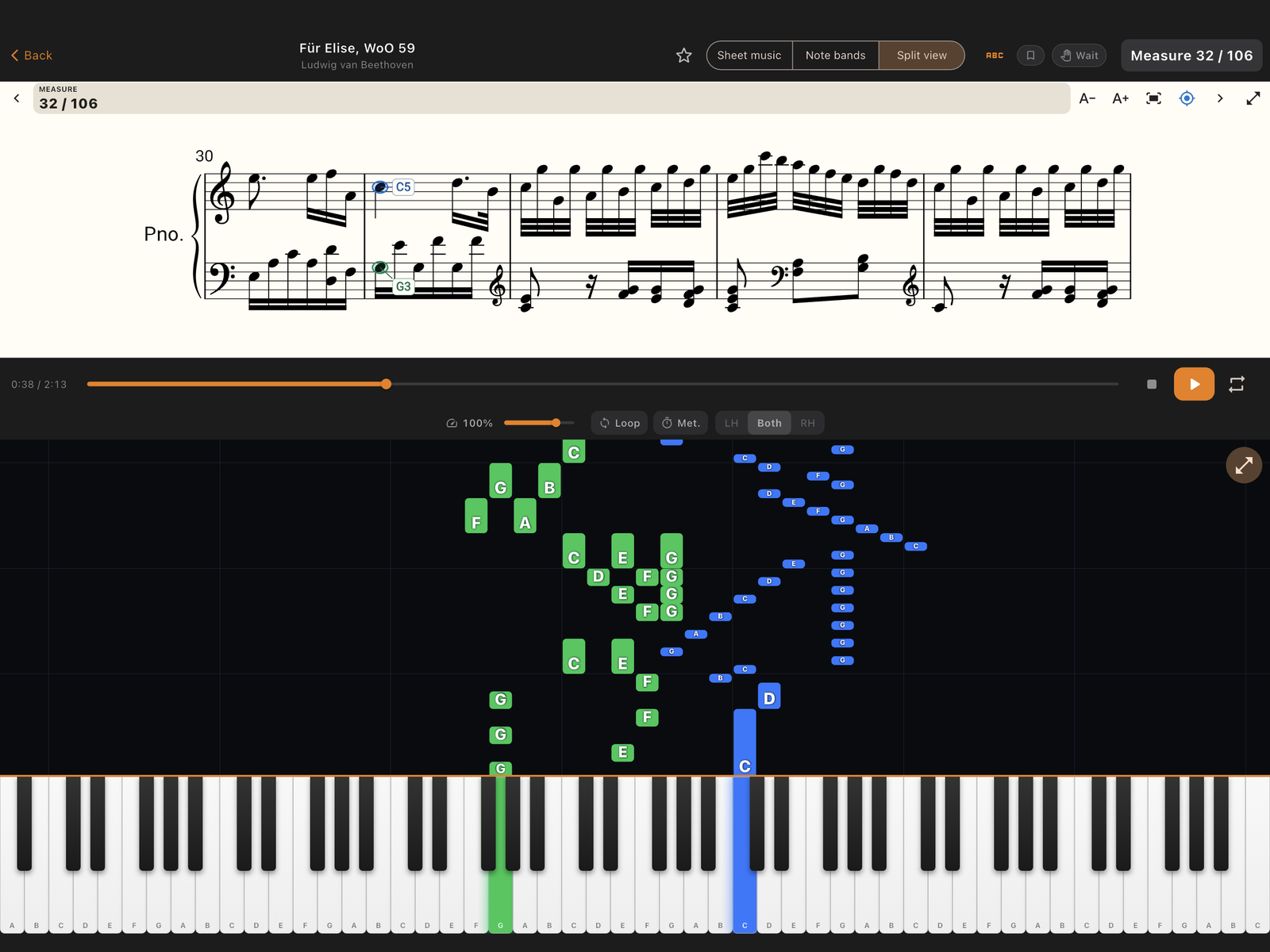
Follow highlighted sheet music, build an arpeggio phrase, and practice scales in your key. See what’s coming in Sonata 1.1 in this 24-second preview. These features will be available with the next App Store update.
Actual app footage: Amazing Grace, original C–Am–F–G arpeggios, and scales in C major, G major and E minor. This silent preview shows Sonata 1.1; pause or replay using the controls.
Explore Sonata on the App Store →
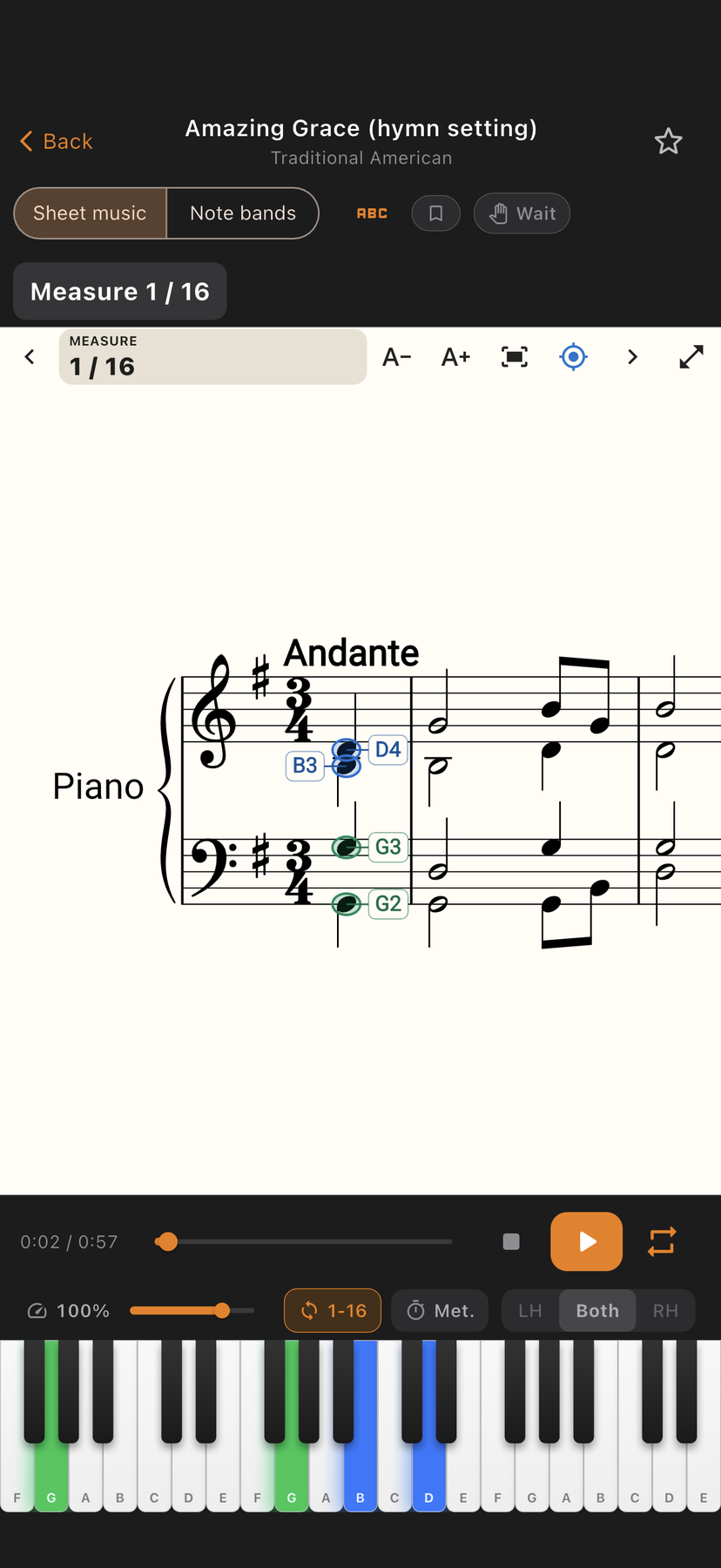
Sheet music stays at the heart of Sonata. In the next release, colored highlights follow the notes being played. Optional note names help you connect the score to the keyboard, with blue for right hand and green for left.
Watch the score or moving note bars, pause even in full screen, and repeat the whole piece. Coming in Sonata 1.1 for iPhone and iPad.
Pause at each note group while you play your response. Replay or skip when you need to, instead of racing to keep up.
Practice right hand and left hand independently. Master each part before combining them together.
Hear your piece played with sampled Yamaha C5 grand piano recordings, including natural note decay.
Slow down to 25% or speed up to 200%. Master every passage at your own pace, then bring it up to performance tempo.
Loop any range of measures. Save named practice sections for targeted drilling on the passages that challenge you most.
MIDI keyboard via Bluetooth or USB, acoustic piano via microphone detection, or the on-screen 88-key touch keyboard.
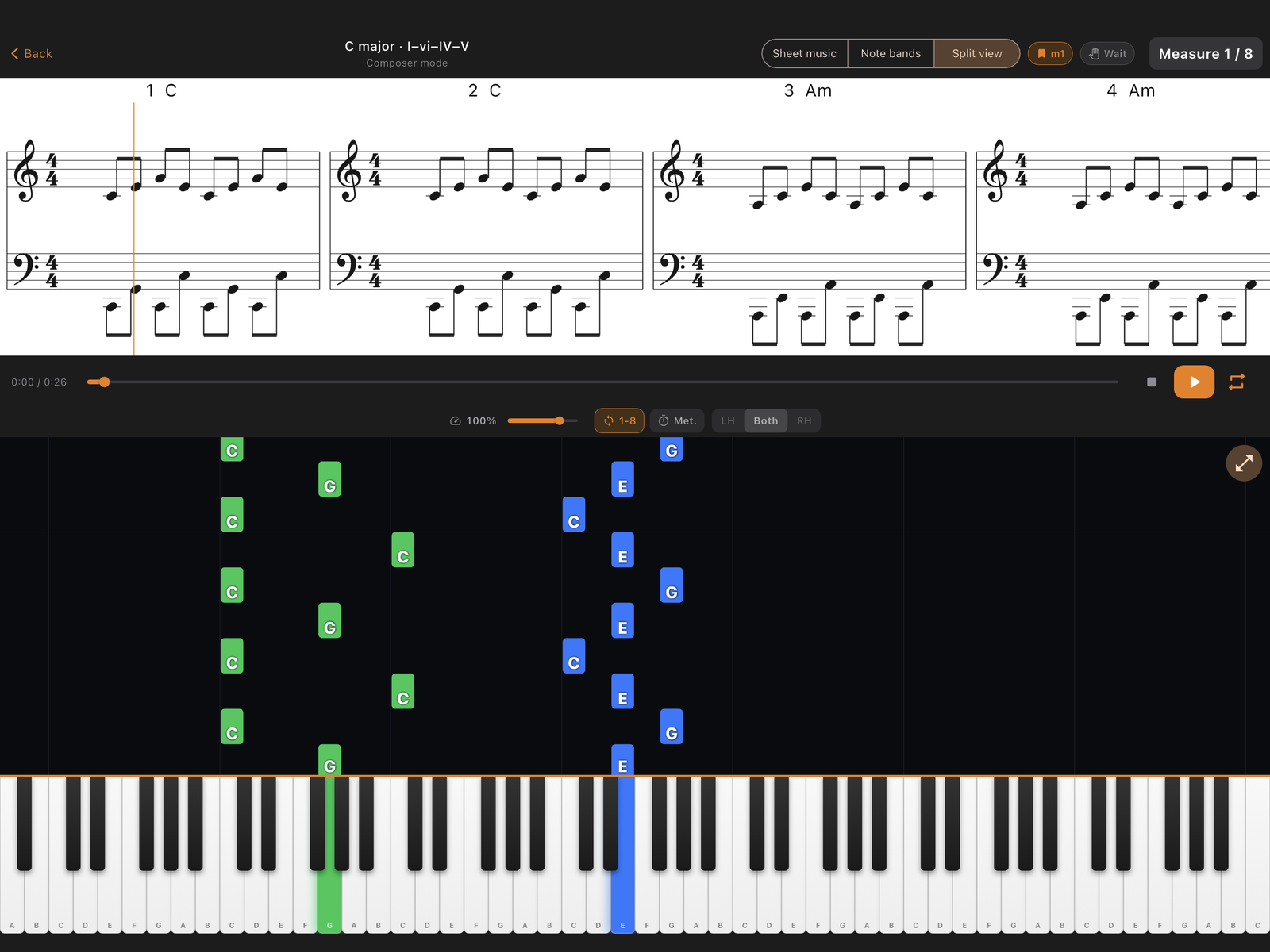
Start with a blank piano, a chord pattern, or a pre-filled scale sheet. Build arpeggios, explore modes, choose the key of each run, and turn your ideas into music you can practice.
Start with C major, G major and E minor, then choose your own keys. Explore major, natural or harmonic minor, and all seven diatonic modes. Every run keeps its key label on the score and PDF.
Choose ascending, descending or up-and-down runs, one or two octaves, and right hand, left hand or both. Change the tempo, meter and individual notes in the editor.
Tap the piano to add your own notes. Green highlights show your chord or arpeggio tones; dim yellow suggests passing notes from a named scale. Audition freely or keep the notes in your collection.
Try ascending, descending, 3–5–7, or climb-and-fall patterns such as C–G–E–C. Choose an exact range, like C2–G4, and add a bass pattern such as 1–5–1–8 starting in your chosen octave.
Add, reorder, or remove sections. Set a time signature for the collection, with section overrides when you need them. Loop a section with the metronome and add notes on the next pass.
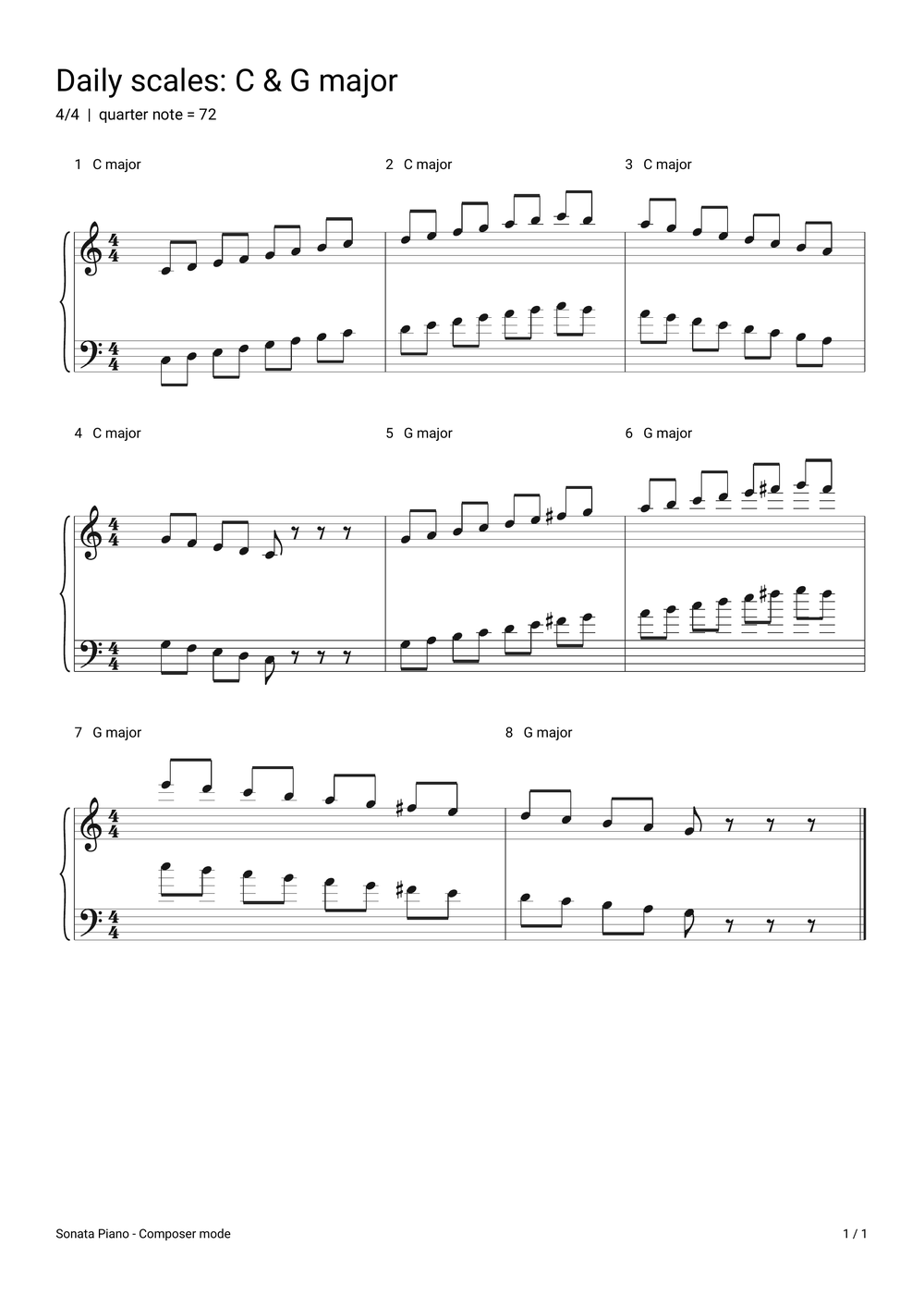
Export your original exercises as a portrait PDF score with grand staves, flowing systems and labeled keys. Print a practice sheet or keep a copy beside your piano.
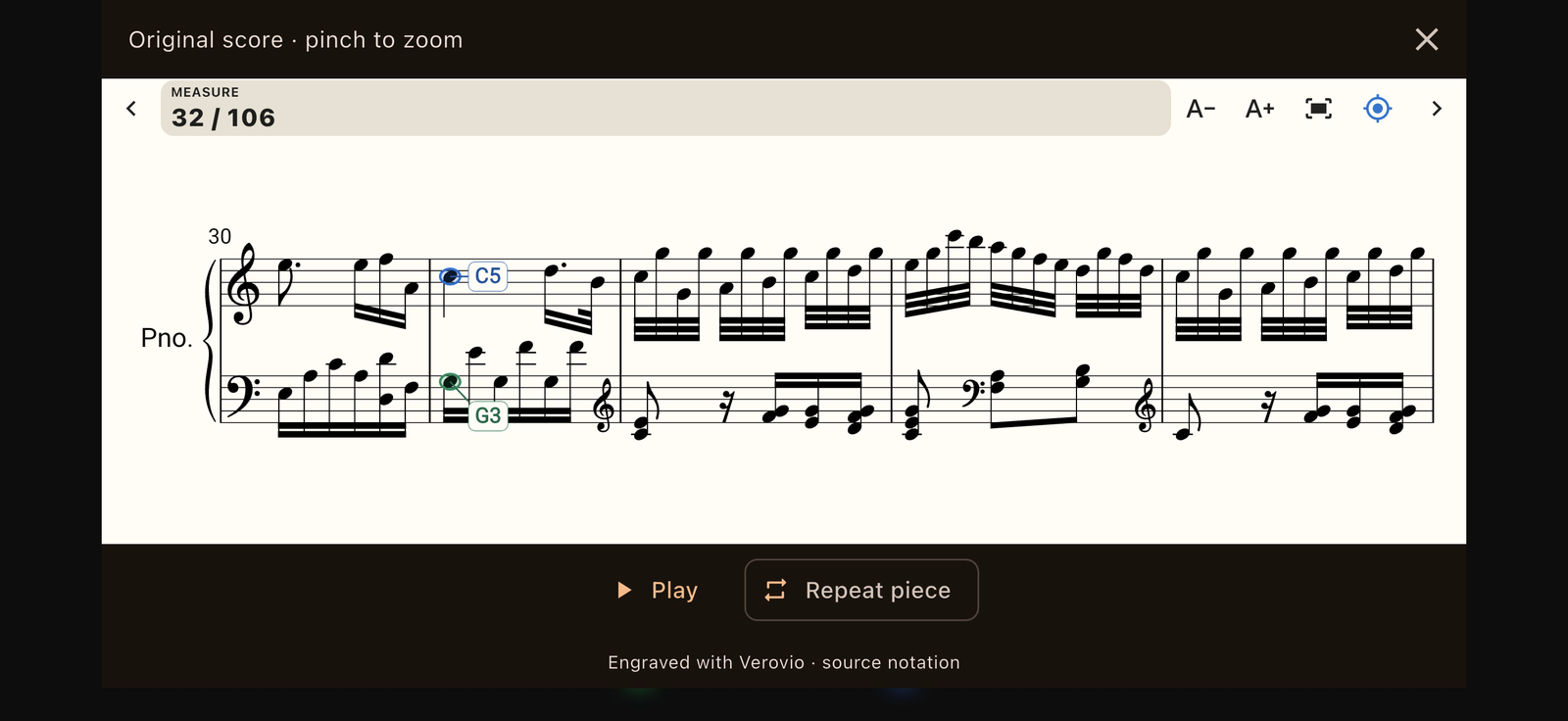
See a sample score →Library notation engraved with Verovio. Keep collections on your device, practice with sheet music and piano-note bars, and export your generated score as a PDF. Composer Mode arrives in Sonata 1.1. The preview shows features coming with that update; they are not yet in the public App Store version.
Browse by composer or difficulty, save favorites, and return to pieces you want to keep working on. Scores are bundled with the app.
Sonata is a practice companion for exploring classical pieces, slowing passages down, and working on each hand separately. Beginners can start with simpler pieces; intermediate and returning players can use the same tools to work through harder sections. It is not a replacement for a teacher or a complete course in piano technique.
No. You can use the on-screen piano, connect a compatible keyboard over USB or Bluetooth MIDI, or use the microphone with an acoustic piano. The connection method depends on your keyboard and any adapter it requires.
The microphone listens for the notes you play. Detection can vary with the instrument, room, microphone position, and chords or sustained notes. Replay and skip controls help when a note is not picked up. MIDI sends note messages directly instead of relying on microphone detection.
Highlighted scores, optional note names, full-screen pause and repeat, and Composer Mode are coming in Sonata 1.1 for iPhone and iPad. Download Sonata now to explore the current app, and update when 1.1 becomes available.
The scores and piano samples are bundled with the app. Purchases, restoring access, and periodic subscription checks still need an internet connection.
Pick a piece you know, reduce the tempo, and try one hand. Loop a short passage before moving on. If you have a keyboard, try MIDI input; if you are using an acoustic piano, start with a quiet room and a simple passage.
Eligible new subscribers can try the monthly or annual plan free for 7 days. Prefer a one-time purchase? Choose lifetime access.
Annual
$69.99
per year · ~$5.83/mo
About 42% less than 12 monthly payments
Start Free TrialPrices shown are in USD for the U.S. App Store. Local prices and trial eligibility may vary. Subscriptions renew automatically unless canceled. Review your price, any introductory offer, and renewal terms in Apple’s purchase confirmation. Lifetime access is a separate one-time purchase.